Built for Small Firms & Architecture Students

From first idea to photorealistic render.

EazzyRenders turns sketches, SketchUp exports, and reference images into studio-quality architectural visuals, right in your browser. Built for small firms and students working without a full visualization budget.

↓ Scroll
<2 min
Setup Time
4K
Render Quality
1-click
Generate On-Site
Built For
Small Firms & Students

Lock the architecture.
Free everything else.

Upload a source and choose exactly what has to stay fixed — massing, openings, roofline, camera, materials, landscape, time of day. Each locked attribute is written into the render instructions as a hard constraint, and an automated check compares the result against your source afterward, flagging anything that drifted. Drag the slider below: the silhouette and window openings stay aligned across the source and the result — only what you left unlocked was free to change.

AI RESULT
SOURCE
Source (locked)
AI Result

Schematic illustration — both sides share the exact same footprint, window grid, and roofline coordinates. In a real render, this is the actual source photo or blueprint next to your generated result.

Locked by default
Massing
Openings
Roofline
Camera
Free to vary
Materials
Landscape
Time of Day

Built for how architects
actually work.

Time savings. Consistent quality. One affordable subscription, built for small firms and students who need professional renders without enterprise pricing.

Save Time. Start Strong.
Stop building renders from scratch. EazzyRenders assembles every detail in under two minutes: building type, material, lighting, and camera angle. What used to take experimentation and iteration is now a one-click render.
Research-Backed Quality
Every render is grounded in architectural visualization research: material descriptions, lighting language, and camera directives drawn from professional rendering workflows. Generate directly in your browser, control which architectural elements remain fixed, and compare the result against your original. No prior AI experience required.
One Subscription, Every Render
Generate directly in the Studio: no external tools, no copy-pasting instructions elsewhere, no expensive rendering software to license or learn. Hit Generate and get a photorealistic image back in about a minute on Quick renders, a little longer on the higher-quality tiers, all included in one affordable subscription built for small firms and students.
Refine Existing Renders
Already have a render but it needs work? Switch to the Edit tab, upload your image, and describe the change: swap the facade material, adjust the lighting to golden hour, add greenery, change the season. Get a targeted edit ready to apply instantly, or copy the instructions to paste into Gemini or ChatGPT if you prefer.
One Consistent Visual Standard
Renders built with EazzyRenders share a consistent visual language: palette, lighting quality, and composition. Whoever on your team creates it, the output stays recognizably part of the same set across a project.
Community Collaboration & Critique
Share renders with the whole EazzyRenders community. Browse what other creators are building, draw inspiration for early design stages, and leave critiques that sharpen other people's work. The gallery grows more valuable every time someone contributes.
Powered by multiple specialist engines
Gemini AIAnalysis & Assist Rendering EngineImage Generation FirebaseAccounts & Credits CloudinaryAsset Storage
Built by EazzyRenders · 2026

Three steps from idea
to render-ready image.
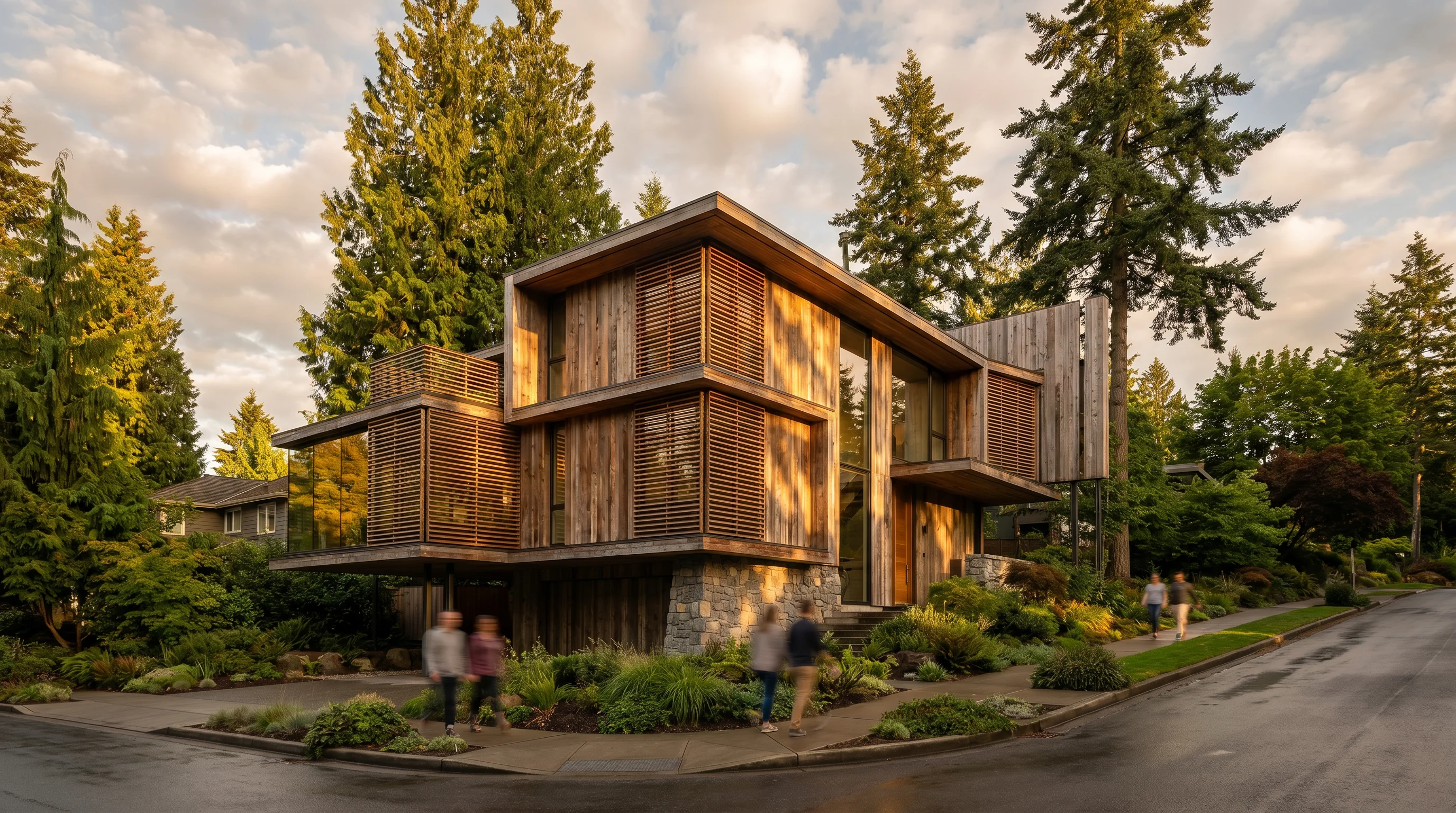
01
Pick Your Parameters
Open the Studio and click through the parameter tiles: building type, architectural style, primary material, site context, lighting, season, camera view, and more. Each click instantly updates your render setup. No typing, no AI knowledge needed.
15 parameter groups
10,000+ unique combinations
Updates live as you click
02
Generate Your Render
Hit Generate: the Studio has already worked out every detail based on your selections and renders it for you, right on the site. Prefer to use your own tools? Copy the render instructions instead and paste them anywhere.
Renders directly in your Studio
Included in every subscription
Research-backed quality language built in
03
Refine, Improve & Share
Have a render that's close but not quite right? Use the Enhance tab for an overall quality pass, or the Edit tab to describe a specific change and get a targeted edit ready to apply. Then post your best results to the Community Gallery and leave critiques on other people's work.
Edit instructions for existing renders
Community Gallery sharing
Critique & inspire each other
Architectural render

Built for every designer,
every project, every stage.

  • 01
    When the design is just getting started

    The earliest design conversations are often the most important, and the hardest to illustrate. EazzyRenders is built for those moments. Before a massing model exists, before the design is fully fleshed out, anyone can sit down and produce a convincing photorealistic image that gets everyone pointed in the same direction. Pick a building type, a style, a material, and a setting, and you have something to show in under two minutes.

  • 02
    When a render already exists but needs improvement

    Sometimes you have a render that's 80% of the way there. Maybe the lighting is wrong, the material doesn't look right, or the landscaping feels thin. The Edit tab is built for exactly this situation: upload what you have, describe what needs to change, and get a professional-grade edit ready to apply, or copy the instructions to paste into Gemini or ChatGPT if you prefer. No starting over. No re-render from scratch.

  • 03
    Research-backed renders, not guesswork

    Every parameter, phrase, and material description is grounded in architectural visualization research, the language used by professional photographers and rendering studios. That research is built into every prompt the Studio assembles, so you don't have to specify it yourself.

  • 04
    One visual standard, every time

    When everyone uses the same rendering engine, the results share a consistent visual language. The gallery makes that visible: a growing library of renders that the community can browse, critique, and draw inspiration from. The more people contribute, the more valuable it becomes for everyone.

  • 05
    Built for small firms and students, not just enterprises

    Professional rendering software is often priced, licensed, and built for large studios: steep subscriptions, powerful hardware requirements, and a real learning curve. EazzyRenders is built the other way around: one affordable subscription, nothing to install, no GPU required, so small firms and architecture students can produce presentation-ready renders without a software license, a workstation, or a training curve.

I built EazzyRenders as a student, buried in the same cramming schedule every architecture student knows: pin-ups and deadlines that never leave enough time to make a render actually look good. I needed something fast, so I could pick a few parameters at 2am and get something genuinely presentable back, or take a render I already had and push the quality up without starting from scratch. Then during my internships, I kept hearing the same thing from professionals: proper rendering software and services cost a fortune, and even experienced studios budget carefully around it. If professionals were watching those costs that closely, students and small firms never stood a chance. EazzyRenders is my attempt to close that gap: real studio-quality renders, fast enough for a cramming schedule, and priced for the people who actually need them most.

AI rendering for students and small firms
starting free.

Get 5 free renders instantly. Upgrade when you need private, watermark-free, high-resolution renders.

Private AI renders from $9.99/month, built for architecture students, freelancers, and small firms.
2 months free on annual
Try it Free
Free
Try AI rendering instantly
$0
5 lifetime credits, no subscription, no card required
  • 5 free renders in total
  • Quick & Standard renders only
  • Public Community Gallery
  • Watermarked images
  • Ads shown
  • No commercial use
Built for Students
Student
Affordable portfolio renders
$5.99$59 /mo/yr
2 months free vs. paying monthly
35 credits every month
  • Watermark-free renders
  • HD & 4K render access
  • Great for portfolios & school projects
  • Limited private projects
  • Standard render queue
Private Renders Under $10
Starter
Private commercial renders under $10
$9.99$99 /mo/yr
2 months free vs. paying monthly
70 credits every month
  • Fully private renders
  • HD & 4K render access
  • No watermark
  • Commercial use included
  • Standard render queue
Best for Small Teams
Small Firm
Team rendering under $50
$49.99$499 /mo/yr
2 months free vs. paying monthly
440 credits every month
  • 3 team seats
  • HD, 4K & Pro Hero access
  • Shared team folders
  • Private team gallery
  • Brand presets
High-Volume Firm Plan
Firm Pro
High-volume small studio plan
$94.99$949 /mo/yr
2 months free vs. paying monthly
840 credits every month
  • 8 team seats
  • HD, 4K & Pro Hero access
  • Batch rendering
  • Priority support
  • Full style library
Credits roll over. Any paid plan can roll over up to 25% of unused credits into the next month. Design work comes in waves — your credits should too.
How credits work

Every render costs a small number of credits depending on quality: quick concept sketches cost less, final hero shots cost more. Simple to plan around, no surprises.

Quick
1Credit
Standard
1Credit
HD Final
4Credits
4K Final
5Credits
Pro Hero
10Credits
Need renders without a subscription?

Pay-as-you-go credit packs, no recurring charge, perfect for a one-off deadline or a single client project.

20Credits
Small Student Project
$3.99
75Credits
Deadline Pack
$11.99
200Credits
Client Presentation
$24.99
500Credits
Small Firm Project
$59.99

Credit packs expire 90 days after purchase. No subscription, no commitment. Just top up when you need it.

Student renders for $5.99/month. Small-firm team plan for $49.99/month.

A render is one generated image — the actual file you get back. Credits are what you spend to create one: each quality tier costs a different number of credits (Quick and Standard are 1 credit, HD is 4, 4K is 5, Pro Hero is 10), so higher-quality renders use more credits per image.

A fixed number of credits every month (the amount depends on your plan), access to the render quality tiers your plan includes, watermark-free renders, private projects from Starter up, and — on Studio and up — priority queueing and Pro Hero access. Small Firm and Firm Pro also add team seats with pooled credits and a private team gallery.

You won't be charged automatically — Generate simply won't run until you have enough credits for the tier you picked. From there you can wait for your monthly renewal, upgrade to a plan with more credits, or buy a one-time top-up pack with no subscription required.

Yes — any paid plan rolls over up to 25% of that month's unused credits into the next month, so a lighter month isn't wasted. This doesn't apply to the Free plan, since its 5 credits are a one-time lifetime allowance rather than a monthly renewal.

Yes, anytime. Open My Account from the menu in the top right and choose "View / Change Plan," or manage it directly from the Billing Portal — upgrades and downgrades take effect through Stripe with standard prorated billing.

Credit packs are a pay-as-you-go option with no subscription — pick a pack, pay once, and the credits land on your account instantly. They're separate from your monthly plan credits and expire 90 days after purchase.

Yes — every payment automatically generates a receipt through Stripe, available from My Account → Manage Billing. If you need your VAT/tax ID added to future invoices, you can add it directly in that billing portal.

Instead of a time-limited trial, the Free plan gives you 5 real renders to keep for good — no subscription and no card required — so you can try actual output quality before ever paying.

Yes, no long-term contract. Cancel anytime from My Account → Manage Billing, and you'll keep access through the end of the period you already paid for.

Canceling stops future billing, but completed billing periods are generally non-refundable since credits are granted immediately at payment. If you believe you were charged in error, reach out and we'll take a look on a case-by-case basis.

Need support rather than a general comment — a failed render, a billing question, anything urgent? Email us directly at eazzyrenders@gmail.com and we'll take care of it.

Your
Projects

A project remembers a building's reference image, its locked geometry, and every view you've generated for it — so you can come back later and generate another consistent view instead of starting from scratch. Projects are optional — the Studio still works standalone for quick one-off renders.

EazzyRenders AI Render Studio

AI Concept Rendering Studio — Select parameters and generate a photorealistic architectural visual in minutes.

Credits
Working in project:
Build Your Prompt 0 / 15
🔒 Architecture Lock — upload a source, then choose what stays locked
Drop a render here or click to browse
JPG PNG WEBP PDF
Building Type
Select type
Building Type
🏡
Villa
🏠
House
🏢
Tower
🏛️
Cultural
🏙️
Mixed Use
🏫
Community
🏭
Warehouse
🏨
Hotel
🏟️
Sports Center
💼
Office Campus
🏥
Healthcare
Architectural Style
◻️
Minimalist
🌲
Scandinavian
🧱
Brutalist
🌿
Biophilic
⚙️
Industrial
〰️
Parametric
🏛️
Art Deco
🌅
Mid-Century
⛩️
Japanese
🌊
Organic
Materials
Select material
Primary Material — architectural & commercial
Concrete
Timber
Corten Steel
Stone
Brick
Glass
White Plaster
Terracotta
Zinc Panel
Rammed Earth
White Marble
Copper
Charred Timber
Travertine
Basalt
Slate
Anodized Aluminum
Blackened Steel
Glazed Ceramic
Channel Glass
Polycarbonate
Bronze / Brass
Corrugated Metal
Gabion Stone
Titanium Panel
Fiber Cement
Primary Material — residential sidings & roofing
Lap Siding
Painted Clapboard
Board & Batten
Vinyl Siding
Cedar Shake
Painted Brick
Stone Veneer
Fieldstone
Textured Stucco
Asphalt Shingle
Log Timber
Half-Timbered
Adobe
Secondary Material — optional, pairs with the primary above · architectural & commercial
None
Concrete
Timber
Corten Steel
Stone
Brick
Glass
White Plaster
Terracotta
Zinc Panel
Rammed Earth
White Marble
Copper
Charred Timber
Travertine
Basalt
Slate
Anodized Aluminum
Blackened Steel
Glazed Ceramic
Channel Glass
Polycarbonate
Bronze / Brass
Corrugated Metal
Gabion Stone
Titanium Panel
Fiber Cement
Secondary Material — residential sidings & roofing
Lap Siding
Painted Clapboard
Board & Batten
Vinyl Siding
Cedar Shake
Painted Brick
Stone Veneer
Fieldstone
Textured Stucco
Asphalt Shingle
Log Timber
Half-Timbered
Adobe
Custom Material — optional, upload a sample instead of a preset above (e.g. one you downloaded from the Gallery)
Drop a material sample here or click to browse
Accent Treatment
None
Wood Louvers
Metal Screen
Stone Clad
Green Wall
Perforated
Concrete Fins
Bamboo Screen
Copper Detail
Terracotta Baguettes
Brick Lattice
Glass Fins
Ceramic Accent
Environment
Select environment
Site Context
🏙️
Urban
🏡
Suburban
🏭
Industrial
🌲
Forest
🌊
Waterfront
🏜️
Desert
⛰️
Mountain
Region / Climate
🌨️
Nordic
☀️
Mediterranean
🌧️
Pacific Northwest
🌴
Tropical
🌞
Middle East
🌸
East Asia
🌫️
British Isles
🍂
Continental Europe
🍁
New England
🌵
American Southwest
🦘
Australian Outback
⛰️
Andean Highlands
🌍
Sub-Saharan Africa
🌧️
South Asian Monsoon
Lighting & Weather
Select lighting
Time of Day
🌅
Golden AM
☀️
Midday
🌤️
Afternoon
🌆
Dusk
🌃
Night
☁️
Overcast
Weather
🔵
Clear
Scattered
⛈️
Dramatic
🌫️
Misty
🌧️
Rain
❄️
Snow
Atmosphere
🔆
Warm
🔷
Cool
Neutral
🎭
Dramatic
Composition
Select view & season
Camera View
👁️
Eye Level
🚶
Street
🚁
Aerial
🪑
Interior
🏯
Courtyard
Waterfront
Season
🌸
Spring
☀️
Summer
🍂
Autumn
❄️
Winter
Landscape & People
Select density
Landscape Density
🪨
Minimal
🌱
Moderate
🌳
Lush
Human Activity
None
🧍
Few
👥
Active
💨
Motion Blur
Additional Notes (optional — keep generic, no client data)
Style Reference (optional — upload a render you like the look of)
Drop a render here or click to browse — we'll match its style, not its building
0Text to Image
Upload a Render
Drop a render here or click to browse
Describe & Paint
Style Transfer
Mood & Lighting
Describe a change — applies across the whole image
Or paint just one area — optional, use instead of or together with the description above
Upload a render above to begin painting
100%
Brush 30px
Replacement Reference — optional, upload the material/texture sample to apply within the painted area
Drop a material sample here or click to browse
Paint over the area you want to change
Style Reference — the rendering style you want copied onto your render
Drop a style reference here or click to browse
Architecture, camera, lighting and time of day stay exactly as they are. Materials keep their identity — only their finish is re-graded.
Style reference loaded
Strength Balanced
Style Transfer Prompt
Upload your render above, then a style reference here.
Mood & Lighting Reference — the light, shadow and atmosphere you want copied
Drop a lighting/mood reference here or click to browse
Materials, geometry and framing stay exactly as they are — only the light changes. Your render's sharpness and realism are preserved even if the reference is stylised.
Mood reference loaded
Strength Balanced
Mood & Lighting Prompt
Upload your render above, then a mood reference here.
Upload a render to begin
Generate On-Site
Pick your AI engine and a quality tier — credits are only deducted when your render finishes successfully.
Nano Banana Google. Fastest and cheapest, strongest at building from scratch.
ChatGPT OpenAI. Built for editing — better at holding your exact camera and geometry.
QuickNano Banana 21 credit
StandardNano Banana1 credit
HD FinalNano Banana 24 credits
4K FinalNano Banana 25 credits
Pro HeroNano Banana Pro10 credits
Prompt being sent
Select parameters on the left — your render prompt builds automatically as you click.

Your render will appear here

Pick a tier above and hit Generate

Generated render
Rendering
Sending your render to the queue...
Recent Renders
Want weekly render inspiration & product updates in your inbox?
EazzyRenders
AI Render Studio

Sign in to access the render Studio and Community Gallery.

Free to start — built for small firms & students. Subscribe anytime for monthly render credits at every quality tier.